
How to Safely Transfer a Website After a Sale
Learn how to safely transfer a website after a sale, including website escrow, domain handoff, assets, access, and payment timing.
If you want to know how to safely transfer a website, the short version is this: use escrow, define exactly what is being sold, move assets in a controlled order, verify each step, and only release the final asset after payment is secured. Whether you are exiting a content site, SaaS, tool, or ad-monetized property, the transfer is where deals go wrong. If you are earlier in the process, start with selling and flipping websites so the handoff is planned before you accept an offer.
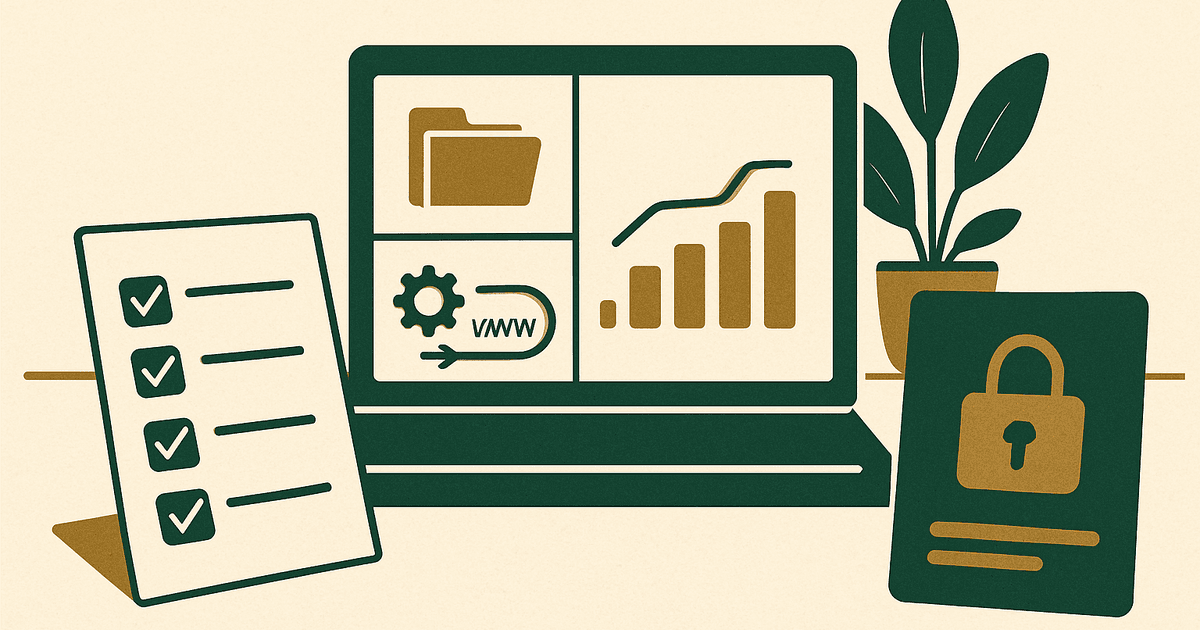
The safest transfers are boring transfers. You want a written asset list, a buyer and seller checklist, a clear escrow workflow, and a rule that nothing critical changes without documentation. In practice, that means the buyer does not send funds directly by wire and hope for the best, and the seller does not push the domain before escrow confirms money is secured.
The safe order of operations
For most deals, the safest sequence is: sign the purchase agreement, open escrow, verify what is included, transfer low-risk assets first, verify operations, transfer the domain last, then complete release. That sequence protects both sides. The seller reduces the chance of losing control before payment, and the buyer reduces the chance of paying for a site that cannot actually be delivered.
- Define every asset in writing: domain, site files, database, designs, code repositories, email list, social accounts, analytics access, ad network accounts, affiliate relationships, and standard operating procedures.
- Put the transaction into a reputable escrow flow and confirm the inspection period, release conditions, and dispute process.
- Back up everything before any access changes: site files, database, DNS records, CDN settings, email records, and analytics exports.
- Transfer operational access first where possible: hosting, CMS admin, repository access, CDN, email service, analytics, and payment processors if applicable.
- Verify the site works under buyer control before the domain is moved or before the final escrow release, depending on the agreed sequence.
- Transfer the domain after sale using registrar push or auth-code transfer only when escrow instructions say to proceed.
- Rotate passwords, API keys, SSH keys, and third-party credentials after each milestone.
- Document acceptance so escrow can release funds cleanly.
Use website escrow for almost every meaningful deal
Website escrow is the default answer for deals above a level where a failed handoff would hurt. I would use escrow for almost any sale where the business has real traffic, meaningful revenue, or a domain you cannot afford to lose. Escrow creates a neutral process for payment, inspection, and release. It does not remove all risk, but it prevents the two biggest mistakes: sending funds directly without delivery protection, or transferring ownership without secured payment.
A good escrow setup should state the purchase price, exactly what is included, what counts as delivery, how long the inspection period is, and what happens if a transferred asset is missing or broken. If the site earns through ads, spell out whether the buyer is receiving only the website asset or also help with ad monetization setup. For example, ad accounts with networks like AdSense, Ezoic, Monumetric, Mediavine, and Raptive are often not transferable in the literal account-ownership sense; usually the buyer applies their own account or gets the property added under their own business entity. As of 2026, approximately, those networks have different onboarding requirements and traffic thresholds, so this should be addressed before closing.
What to include in the sale agreement
Most transfer problems start because the agreement is vague. A buyer thinks they purchased the full business. A seller thinks they sold only the website files and domain. Fix that upfront by listing every asset and every exclusion.
- Primary domain and any supporting domains or redirects
- Website files, databases, themes, plugins, custom code, and licenses if transferable
- Hosting account or site migration package
- CMS admin accounts and user roles
- DNS, CDN, SSL, and email-related settings
- Google Analytics, Search Console, tag manager, and ad platform access
- Creative assets: logos, illustrations, source design files, brand guidelines
- Content inventory, content rights, author agreements, and image licenses
- Email list, automations, lead magnets, and CRM access if included
- Social profiles, community accounts, and marketplace listings if included
- Affiliate program relationships, tracking links, and disclosure templates
- SOPs for publishing, updating, monetization, and maintenance
- Post-sale support window and exact seller obligations
Be especially careful with licensed assets. A premium theme, stock photo bundle, or SaaS subscription used to run the site may not be transferable. If the buyer needs replacement licenses, call that out in writing so there is no argument later.
How to prepare the website before transfer
Before you hand over anything, make the property easy to audit. A clean transfer package reduces disputes and makes the buyer more comfortable releasing funds.
- Create a master asset inventory with logins, vendors, renewal dates, and notes on what is transferable.
- Export full backups of site files and databases.
- Export analytics reports, revenue snapshots, top pages, and traffic-source breakdowns.
- Document server setup, cron jobs, cache rules, firewall settings, and redirects.
- List third-party tools and explain what breaks if they are removed.
- Clean up admin access so only necessary accounts remain.
- Pause unnecessary changes during the transfer period to avoid confusion.
- Record current DNS settings before touching nameservers or registrar controls.
How to safely handle domain transfer after sale
The domain is usually the most sensitive asset in the entire deal. If you lose control of the domain at the wrong time, you can lose leverage instantly. That is why domain transfer after sale should happen only inside the agreed escrow sequence.
There are two common methods. The first is an internal registrar push, where the domain is moved from one account to another at the same registrar. This is usually faster and simpler. The second is a transfer using an authorization code to a different registrar, which can take longer and may trigger locks or verification emails. Internal push is often easier during a website sale because it reduces downtime risk and makes confirmation more straightforward.
- Confirm the domain is unlocked only when you are ready to proceed.
- Check whether the domain is within a transfer lock period.
- Verify the registrant email is accessible before initiating any move.
- Take screenshots or notes of DNS records before the transfer.
- Keep DNS stable during the move whenever possible.
- Do not delete the old hosting environment until the site resolves correctly and the buyer confirms functionality.
A common practical approach is to give the buyer access to hosting or a duplicated environment first, let them verify the site runs, then push the domain once escrow confirms the next step. That way the only moving part left at the end is the registrar handoff.
Transferring hosting, files, and databases
Hosting transfers are safer when treated as a migration project, not a password handoff. In many cases, the best move is to migrate the site into the buyer's own hosting account rather than transfer the seller's full hosting account. That avoids exposing unrelated projects and lets the buyer start with clean billing and clean access control.
If the website is simple, a standard backup-and-restore process may be enough. If it is custom, document dependencies: server version, runtime version, background workers, storage buckets, webhooks, queue jobs, and deployment steps. For any site with user data, be careful about privacy obligations and what data is actually included in the sale.
| Asset | Safer transfer method | Main risk to watch |
|---|---|---|
| Domain | Registrar push inside escrow | Losing control before payment is secured |
| Hosting | Migrate site to buyer-owned account | Sharing unrelated account access |
| Files/database | Verified backup plus test restore | Missing media, broken paths, bad config |
| Analytics | Add buyer user access first, then hand off ownership if possible | Loss of historical reporting access |
| Email list/CRM | Export-import with documented fields and consent status | Compliance or deliverability issues |
| Social accounts | Platform-approved role transfer process | Account recovery conflicts later |
Analytics, ad accounts, and monetization access
This is where many website sales become messy. The site itself may transfer cleanly, but the monetization stack often does not. For analytics, the simple rule is to add the buyer as a user first, confirm access, and only then remove the seller after closing. For ads and affiliates, you need to separate transferable assets from non-transferable approvals.
If the site currently uses AdSense, Ezoic, Monumetric, Mediavine, or Raptive, clarify whether the buyer will continue monetization under their own approved account. As of 2026, approximately, entry thresholds vary by network and can change, so do not represent placement or approval as guaranteed. Typical display ad RPMs can range widely depending on niche, geography, and season, and the buyer should underwrite the site based on realistic post-transfer assumptions rather than the seller's exact setup carrying over unchanged.
The same principle applies to affiliate programs. Some merchants allow ownership changes more easily than others; some require a brand-new application under the buyer's tax and payment profile. Put that responsibility in the handoff plan so neither side treats affiliate continuity as automatic.
Security steps during the handoff
A safe transfer is also a security exercise. You are passing access across registrars, hosts, code repos, email systems, and analytics tools. That creates temporary exposure unless you control it tightly.
- Use a password manager and share credentials only through secure channels.
- Enable two-factor authentication before transfer and update recovery methods during transfer.
- Rotate passwords after each ownership milestone.
- Revoke old API keys, SSH keys, and deploy tokens.
- Review user accounts in WordPress, hosting, registrar, CDN, analytics, and email tools.
- Confirm billing ownership changes so auto-renewal does not lapse after closing.
- Keep a written log of each access change and who confirmed it.
Inspection period: what the buyer should verify
The buyer's inspection period should be long enough to verify the business actually operates, but not so vague that the deal drifts. A practical inspection checks asset delivery and basic business continuity, not months of future performance.
- Domain control or registrar transfer status is correct.
- Site files and database match what was represented.
- Traffic tracking is functioning and historical access is available where promised.
- Top pages load properly, forms work, and core monetization placements render.
- Email captures, automations, and redirect paths are functioning.
- Third-party integrations work or any gaps are disclosed.
- All included assets in the purchase agreement have been delivered.
If revenue is a large part of the valuation, I prefer a narrow verification standard tied to operational continuity rather than promising the buyer that earnings will remain identical after transfer. Traffic, RPMs, conversion rates, and affiliate earnings always vary by niche, geography, and season, and some change naturally when ownership changes.
Common mistakes that make website transfers risky
- Accepting direct payment instead of escrow for a meaningful deal
- Failing to list every asset and exclusion in writing
- Transferring the domain before payment is secured
- Assuming ad or affiliate accounts are transferable without checking platform rules
- Giving away a full hosting account when only one property is being sold
- Forgetting to export backups before access changes
- Removing the seller too early from analytics or registrar access
- Changing DNS, host, and domain ownership all at once
- Ignoring plugin, media, or design licenses that cannot legally transfer
- Not setting a defined post-sale support window
A practical transfer checklist
- Signed agreement with full asset list and exclusions
- Escrow opened with inspection and release terms
- Full backups created and stored securely
- Buyer granted limited verification access where appropriate
- Hosting or environment migration completed
- Site functionality verified on buyer-controlled setup
- Analytics and operational tools handed over or shared
- Ad and affiliate continuity plan confirmed
- Domain moved according to escrow sequence
- Passwords, keys, and billing ownership updated
- Acceptance documented and escrow released
- Seller support window and final revocations completed
If you are using a broker or marketplace, their process can help, but you still need to understand the handoff mechanics yourself. A website transfer is not just paperwork. It is domain control, infrastructure access, monetization dependencies, and security cleanup.
And if you are buying or selling content sites primarily for ad revenue, keep the monetization assumptions grounded. As of 2026, approximately, publisher eligibility and RPM outcomes across AdSense, Ezoic, Monumetric, Mediavine, and Raptive still vary significantly by traffic quality, niche, geography, and season. Underwrite the asset conservatively and transfer the infrastructure cleanly.
If you want help choosing the right sale channel before you get to escrow and transfer, review the best website brokers and pick the route that gives you the right level of process support.
Should I use website escrow for a small website sale?
Do I transfer the domain before or after payment?
Can AdSense or other ad network accounts be transferred with the site?
What is the safest way to transfer hosting after a website sale?
Get the next guide by email
One practical email when we publish.