
Kajabi Review (2026): Courses & Memberships
Our Kajabi review covers pricing, fees, features, and Kajabi vs Teachable so you can decide if it fits your course or membership site.
This Kajabi review is the short version first: Kajabi is a strong all-in-one platform for selling courses, memberships, coaching, and digital products if you value convenience over lowest cost. It is usually a better fit for operators who want website, checkout, email, funnels, and community in one stack than for beginners optimizing purely for price. If your broader revenue model also includes ads, subscriptions, and owned offers, start with this display ad monetization guide so you choose the right mix instead of forcing everything through one platform.
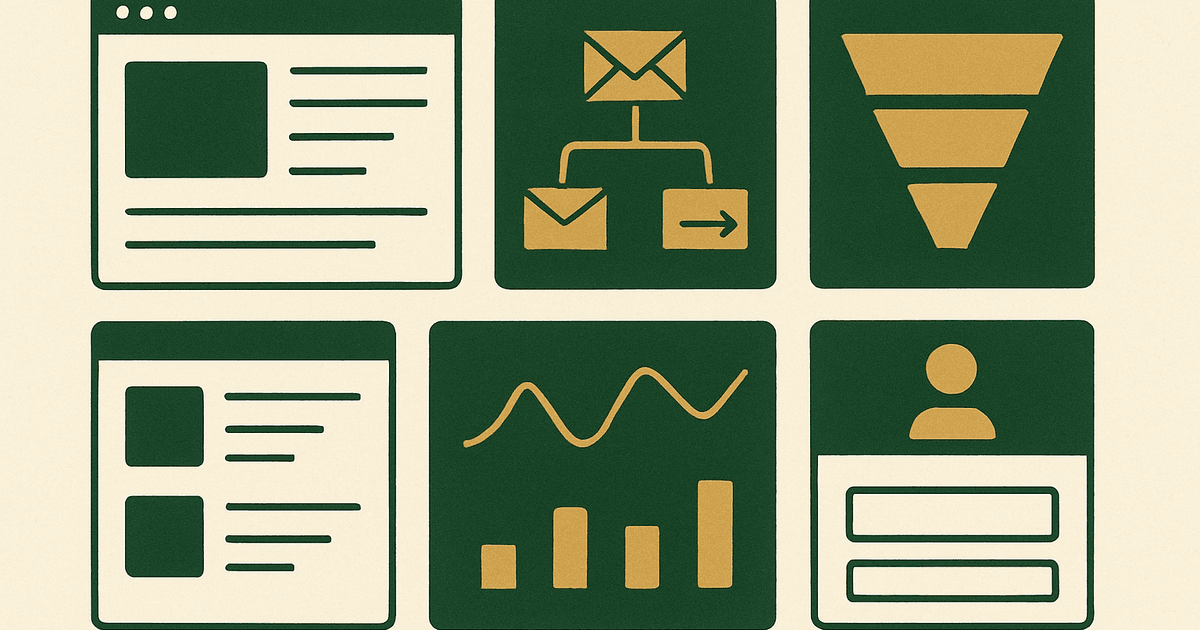
As of 2026, approximately, Kajabi sits in the premium tier of course platforms. You are paying for consolidation: site builder, product hosting, email marketing, automations, pipelines, payments, memberships, and community features under one roof. That can save real operational overhead. It can also be overkill if you only need a simple course checkout and already have your site, email platform, and CRM dialed in.
Kajabi review: who it is best for
Kajabi is best for site owners and creators who want to launch and manage paid education or membership offers without stitching together four to seven separate tools. If you sell a flagship course, recurring membership, cohort, coaching package, or downloadable library, Kajabi can handle the commercial plumbing well enough for most small to midsize operators.
- Best for: course creators, membership operators, coaches, and publishers selling owned products
- Usually worth it for: businesses that want landing pages, checkout, email, automations, and member delivery in one place
- Less ideal for: operators who already have best-in-class tools and only need a course host
- Weakest fit for: creators on a very tight budget or teams needing highly customized ecommerce behavior
The biggest reason people choose Kajabi is not that every feature is best in class. It is that the combined system is good enough across the board, which reduces integration friction, tracking gaps, plugin maintenance, and support complexity.
Kajabi pricing and fees
Kajabi fees are the first thing to sanity-check. As of 2026, approximately, Kajabi plans typically start in the low hundreds per month and move upward depending on product limits, contacts, members, websites, admin users, and advanced features. Pricing changes over time, so check current plan pages before committing.
| Cost area | What to expect | Notes |
|---|---|---|
| Monthly platform fee | Premium compared with lightweight course tools | You are paying for the all-in-one stack |
| Transaction fees | Typically platform transaction fees may depend on plan structure, approximately as of 2026 | Still separate from payment processor charges |
| Payment processing | Standard Stripe or PayPal processing applies | Varies by country, currency, and payment method |
| Email volume / contacts | Higher tiers usually support more contacts and advanced marketing | List growth can push upgrades |
| Team and scaling limits | Admin users, products, websites, and active members may be tier-gated | Important for agencies or multi-brand setups |
The practical question is not whether Kajabi is expensive. It usually is, relative to basic alternatives. The real question is whether it replaces enough other paid tools to lower your total stack cost or at least lower operational drag.
- If Kajabi replaces your email platform, landing page tool, checkout tool, and membership plugin, the math can work
- If you still need external email, a separate site, and extra community software, the value gets weaker
- If your product catalog is simple and your funnels are straightforward, cheaper tools may get you 80% of the result
Core Kajabi features that matter
For most buyers, the important Kajabi features are the ones tied directly to revenue and retention. Fancy extras matter less than whether the platform helps you publish offers, convert traffic, deliver content, and keep members active.
Course and product delivery
Kajabi supports online courses, membership libraries, coaching programs, and digital downloads. The content delivery experience is generally polished enough for premium positioning. You can organize modules, lessons, drip content, and gated access without much technical setup.
Website and landing pages
The site builder is one of Kajabi's core selling points. It is not the most flexible web builder on the market, but it is good enough for most creator brands, lead capture pages, sales pages, webinar registration pages, and checkout journeys. For operators who want to move fast, good-enough page control often beats maximum design freedom.
Email marketing and automations
This is where Kajabi often justifies its price. Built-in email broadcasts, sequences, tagging, and behavior-based automations let you run launches, onboarding, abandoned checkout follow-up, winback campaigns, and member nurture flows without connecting a separate ESP. If lifecycle email is central to your business, the convenience is significant.
Checkout and offers
Kajabi's offer system lets you package products with one-time payments, subscriptions, payment plans, trials, and coupons. For courses and memberships, that covers the monetization basics well. The checkout flow is usually cleaner than what many WordPress plugin stacks produce out of the box.
Community and memberships
If recurring revenue is your goal, Kajabi's membership and community tools are a plus. They may not replace a dedicated community platform for every use case, but they are often sufficient for member updates, discussions, and retention content. If recurring access is your main model, read our guide on starting a membership site alongside this review.
Kajabi pros and cons
| Pros | Cons |
|---|---|
| All-in-one setup reduces tool sprawl | High monthly cost for smaller creators |
| Strong built-in email and automation | You may still outgrow parts of the stack |
| Solid course, coaching, and membership delivery | Design and customization are not unlimited |
| Cleaner checkout than many DIY plugin stacks | Migration can be painful if you leave later |
| Good fit for fast launches with low technical overhead | Potential feature limits by plan tier |
The biggest upside is speed with less tech debt. The biggest downside is paying premium software pricing before your offer has proven demand. That is why Kajabi tends to make more sense after you already have audience traction, validated offers, or a clear monetization path.
Kajabi vs Teachable
If you are comparing Kajabi vs Teachable, the simplest distinction is this: Teachable is often the leaner pick when your main need is course hosting and selling, while Kajabi is stronger when you want the broader business operating system around the course.
| Area | Kajabi | Teachable |
|---|---|---|
| Best use case | All-in-one courses, memberships, and marketing | Simpler course delivery and sales |
| Email/automation | More built-in functionality | Often lighter, may need more external tools |
| Website/funnels | Stronger native pages and pipeline approach | Usually more limited as a full site/funnel hub |
| Budget fit | Premium | Often easier entry point |
| Who should choose it | Operators reducing tool sprawl | Creators prioritizing lower initial cost |
In practice, Kajabi vs Teachable comes down to stack philosophy. If you already love your email tool, CRM, and site builder, Teachable or another lighter platform can be enough. If you want one vendor to cover the critical path from lead to sale to member retention, Kajabi is usually the stronger choice.
How Kajabi compares with other monetization stacks
A lot of site owners read a Kajabi review expecting a simple yes or no. The better framing is whether Kajabi fits your monetization model. If your site primarily monetizes with display ads, networks like AdSense, Ezoic, Monumetric, Mediavine, and Raptive are the more relevant decision set. As of 2026, approximately, those platforms commonly evaluate traffic thresholds, traffic quality, content mix, and geography very differently, and earnings can range from low single-digit RPMs to much higher double-digit RPMs depending on niche, geography, and season.
Kajabi is not an ad monetization tool. It is an owned-revenue tool. That matters because owned products often produce far higher revenue per engaged user than display ads, but they also require stronger offer creation, email strategy, and customer support. The upside is bigger. The operational burden is too.
Who should not buy Kajabi
- Brand-new creators without validated product demand
- Publishers whose main monetization is still display advertising or affiliate content
- Operators who already have a strong WordPress, email, and checkout stack working well
- Teams needing highly customized ecommerce workflows beyond typical course and membership models
- Anyone choosing based on templates instead of economics
If your audience is still small, your offer is unproven, or your product roadmap is fuzzy, start simpler. Prove that people will buy before locking yourself into a premium monthly platform. Kajabi gets easier to justify once you know your offer converts.
When Kajabi is worth the money
Kajabi is worth the money when three things are true: you have an offer people want, email is central to your sales process, and reducing software complexity has real value for your team. At that point, the monthly platform fee can be less important than speed, reliability, and fewer failure points in your funnel.
- Validate demand for a course, coaching offer, or membership
- Estimate how much of your current stack Kajabi would replace
- Map the workflows you actually need: onboarding, upsells, renewals, churn prevention
- Compare migration cost and switching pain, not just list price
- Choose the platform that best fits your next 12 to 24 months, not just this month
Final verdict on Kajabi
Kajabi is a good platform, but not a cheap one. I would recommend it to operators selling courses, memberships, or coaching who want an integrated stack and are willing to pay for convenience. I would not recommend it to someone who just needs a basic course host or has not yet validated their product economics.
If you want an all-in-one system and can use the built-in email, automation, checkout, and membership tools, Kajabi is easy to justify. If you are still comparing platform categories, review our breakdown of the best digital product platforms before choosing.
Is Kajabi worth it for beginners?
Does Kajabi charge transaction fees?
What is better, Kajabi or Teachable?
Can you run a membership site on Kajabi?
What are the main downsides of Kajabi?
Get the next guide by email
One practical email when we publish.